Gallery





Www Roblox Com Redeem Codes Your 2026 Guide To Free Rewards Axeetech ALL NEW YEARS 2026 Promo For ITEMS January Maxresdefault How Can You Easily In 2026 Code 2026 Working Beebom July 2026 Fossbytes 2026 Get Unlimited Youtube A Gift Card 2026 Hari Ini Januari 2026 Hadiah Gratis Untuk Pemain F2MNBUDAVZRV0FGE5QKGUYCDGAYNHBDYE143MGZ8ZXAHN 3dbjdw640 H360 AVVXSEJRQQMWDM1MFYFAT2JP8KKC5IZMNAYLNYHIKX2WFM8FTLP2RDWKDIYPAWLVOMBJWR3KJJCLM4PBDLE F2MNBUDAVZRV0FGE5QKGUYCDGAYNHBDYE143MGZ8ZXAHN OWSRVMGOFLARLB3G7B3MUC9MLLZPDTAWI9X2UQSKUNXTNLOVGRXFCJAGSFZE 3dbjdw640 H360 Robux 2026 Eldorado Blog Active And Them June 2026 98A6EF1A 5af5 446C A11E 6B4A9F58E32A Webp 98A6EF1A 5af5 446C A11E 6B4A9F58E32A 2026 Pls Donate Option.




How Can You Redeem Roblox Codes Easily In 2026 Promo For 2026 All Working Beebom Mansion Of Wonder Code Kode Skibi Defense Februari 2026 Daftar Terbaru Cara 2026 And 289ce1b886 2026 289ce1b886 Redeeming Gift Cards A 2026 Easy Guide Page 9549829 To Credit 2026 Quick Pin 6425158 2026 Rivals June 2026 Active Items Free Gear Axeetech 2026 Island Move Players Steps On Web 2026 Robux Card 2026 Want Freebies Get 2026.



How Can You Redeem Roblox Codes Easily In 2026 Pls Donate Promo June 2026 Igeeksblog 2026 Code Thumbnail Redemption 2026 New And Working 2026 For Doors 2026 752c4 17089252705753 1920 752c4 17089252705753 1920 To Mobile PC Youtube Maxresdefault Com Complete Gift Card Guide 2026 Axeetech Official Page Screenshot Want Freebies Get 2026 Redeeming Cards A 2026 Easy AID13048073 V4 1200PX Use On Iphone Step AID13048073 V4 1200PX 2026 Island Of Move.
Key highlights
The story
Welcome, fellow gamers! In the fast-paced world of 2026, where balancing work, family, and a thriving gaming life is the norm, every minute counts. You're not just playing; you're unwinding, connecting with friends, and maybe even sharpening a few skills. If you've ever found yourself with a Roblox code in hand, eagerly anticipating free Robux or exclusive in-game items, only to scratch your head wondering "where to redeem codes Roblox?", then you're precisely where you need to be. It's a common frustration, especially when you're trying to make the most of your limited gaming time.
This isn't about hype; it's about practical solutions for real gamers. We know that 87 percent of US gamers are regularly diving into their favorite titles, often for 10 plus hours a week, with mobile gaming still showing incredible dominance and social play at its core. Roblox, with its vast universe of user-created experiences, is a hub for social interaction and creativity. Getting those freebies from codes can significantly enhance your fun, help you customize your avatar, or even give you an edge in your favorite game. But finding the right redemption spot can sometimes feel like a mini-quest itself. This comprehensive guide will walk you through every official avenue for redeeming Roblox codes, ensuring you never miss out on valuable rewards again. We'll cover PC, mobile, and in-game redemption, offering clear, step-by-step instructions so you can get back to what you love doing most: gaming.
Where Exactly Do I Go to Redeem General Roblox Promo Codes?
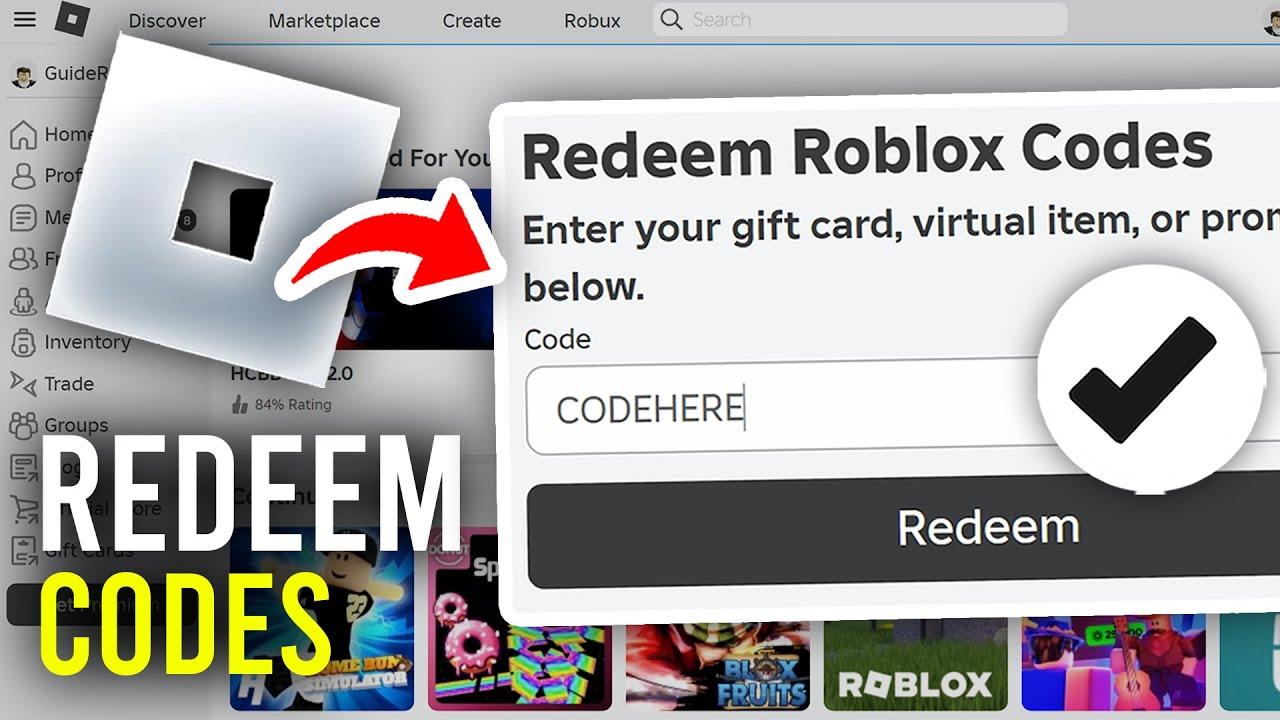
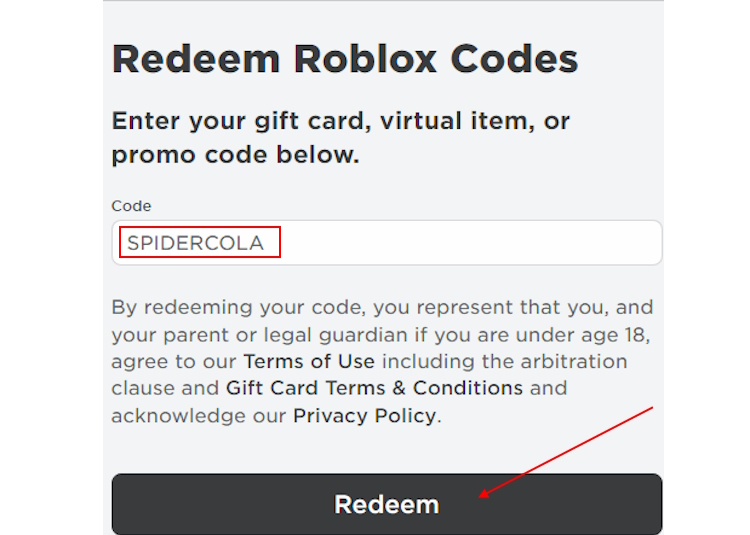
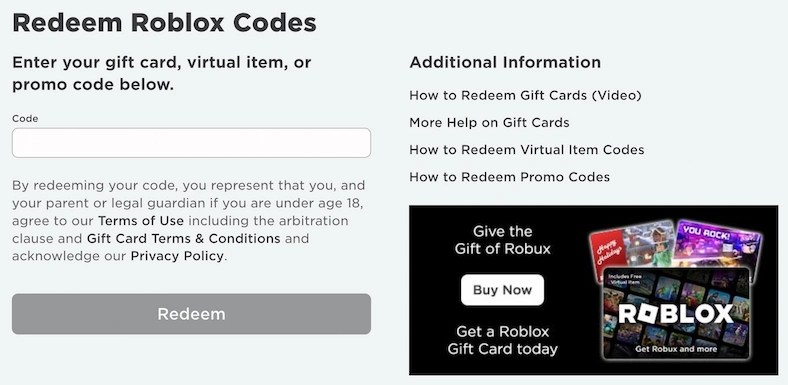
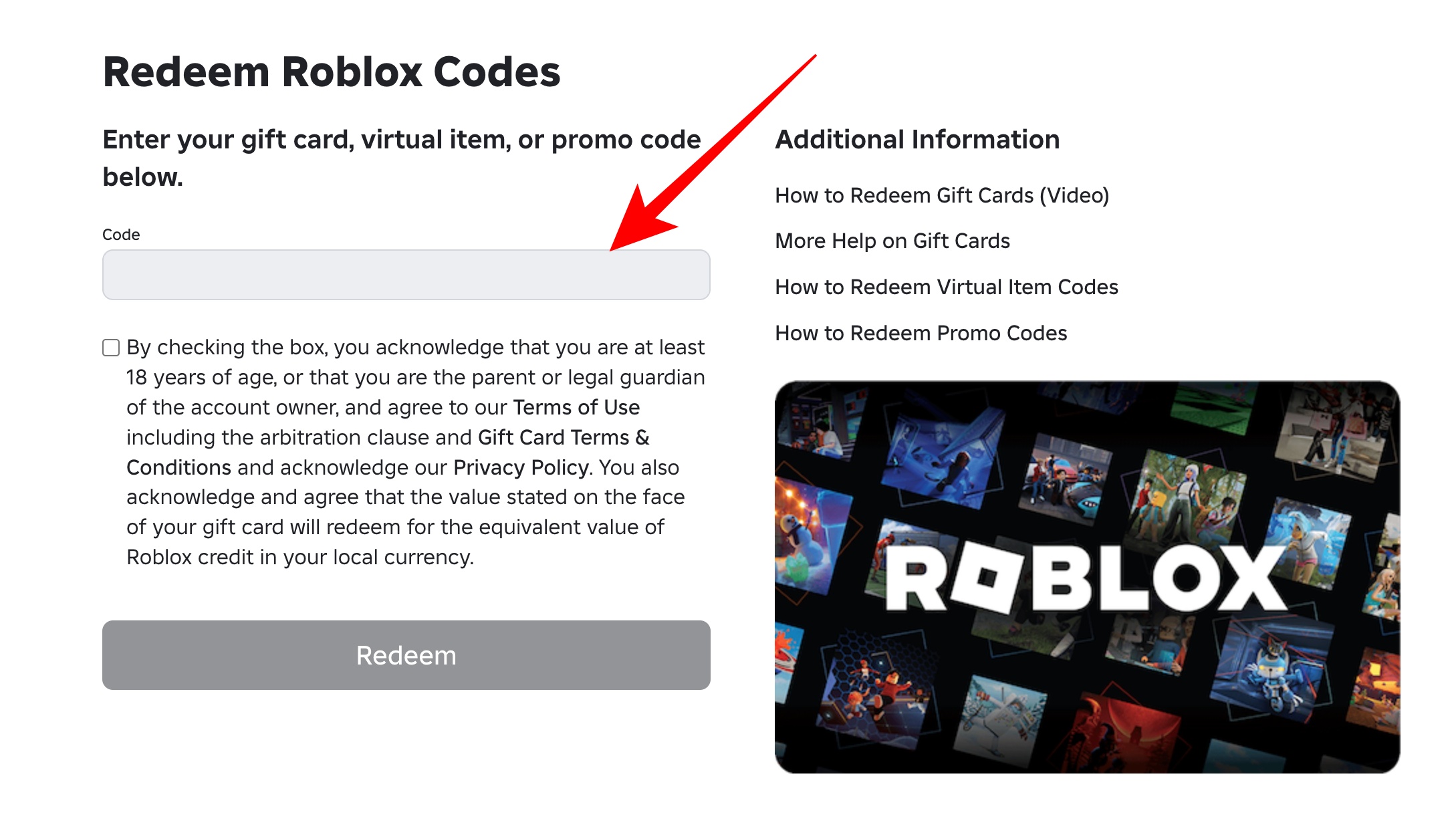
The primary and most reliable destination for redeeming general Roblox promo codes, which often grant avatar items or Robux, is the official Roblox Redeem page. This dedicated portal is designed specifically for inputting codes obtained from various promotions, events, or official giveaways. It’s crucial to use this official site to ensure your codes are processed securely and correctly, avoiding any third-party scams. For most US gamers who spend their evenings unwinding with a quick Roblox session after a long day, remembering this single, straightforward URL can save a lot of time and frustration. It’s accessible from any device with a web browser, making it convenient whether you’re on your PC or sneaking in a few minutes on your mobile during a commute.
To access it, simply navigate to www.roblox.com/redeem in your web browser. Make sure you are logged into the correct Roblox account before attempting to redeem any codes. Redeeming codes here is generally a quick process, perfect for busy gamers who value efficiency and want to maximize their in-game value without any fuss. Always double-check the URL to avoid phishing sites that try to mimic the official page, safeguarding your account credentials.
How Do I Redeem Roblox Gift Card Codes or Robux Codes?
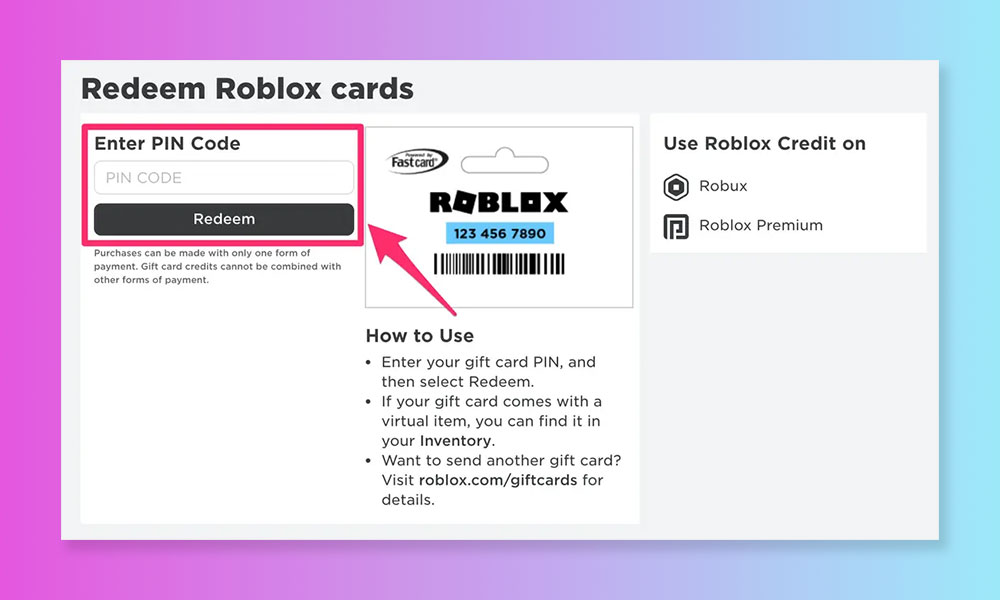
Redeeming Roblox Gift Card codes or pre-purchased Robux codes follows a slightly different, but equally straightforward, path. These are not typically entered on the general promo code page. Instead, Roblox has a specific portal for gift card redemption. This ensures your valuable Robux or credit is securely added to your account balance, ready for you to spend on avatar customizations, game passes, or other in-game purchases. Many gamers utilize gift cards as a budget-friendly way to manage their in-game spending, a common practice among adults balancing finances. This month, gift card purchases for digital content remain a popular choice for gamers seeking value for money.
Here's how to do it:
- Open your web browser and go to www.roblox.com/redeem?card.
- Log into your Roblox account if you haven't already.
- Locate the PIN on your physical Roblox Gift Card (usually on the back, under a scratch-off strip) or in the email for a digital gift card.
- Enter this PIN into the designated field on the redemption page.
- Click the "Redeem" button.
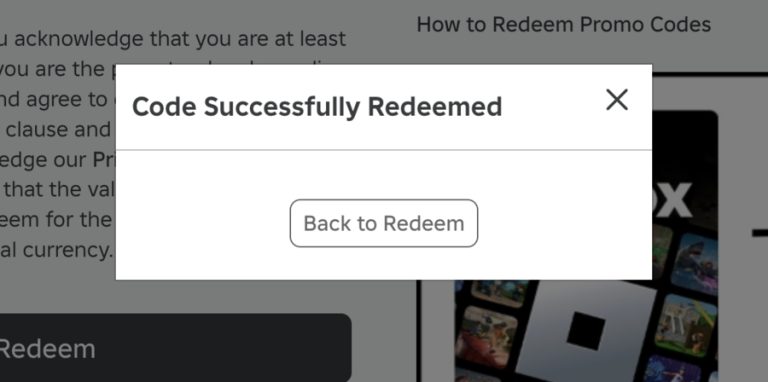
Once redeemed, the Robux or Roblox Credit will be applied to your account. You can then use this credit to buy Robux directly or spend it within the Roblox ecosystem. It’s a seamless way to boost your in-game currency, perfect for grabbing that new item you've been eyeing.
What About In-Game Codes for Specific Experiences?
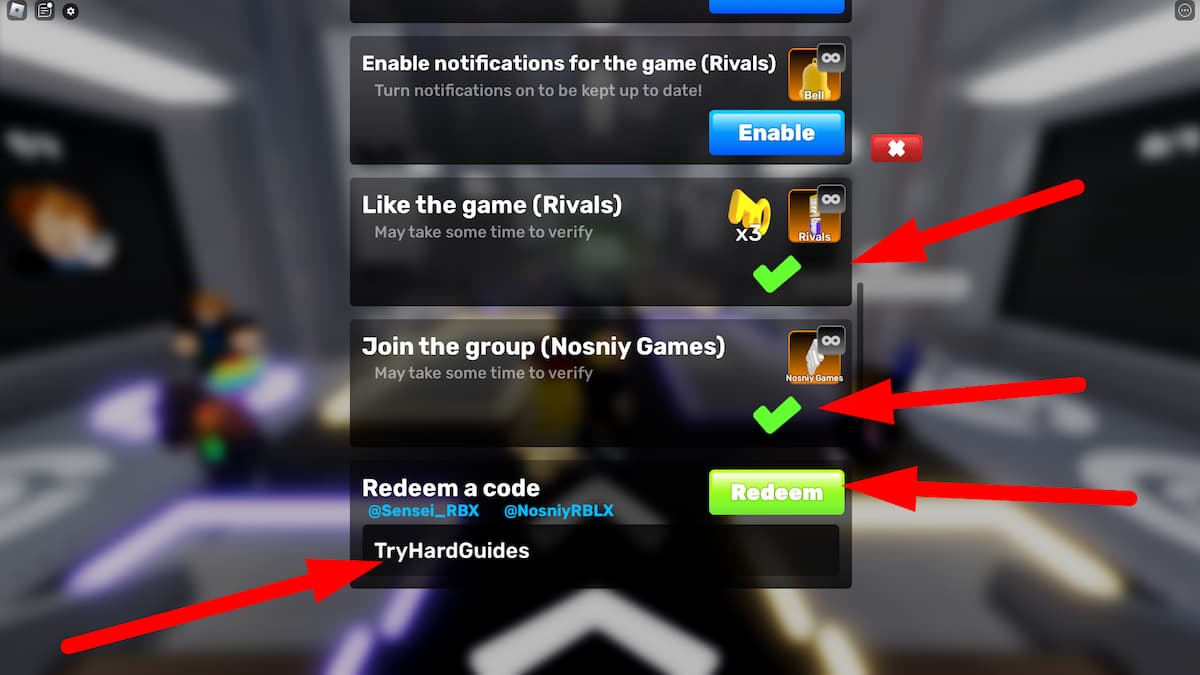
Not all Roblox codes are redeemed on the main Roblox website. Many popular Roblox experiences (games) have their own unique, in-game code redemption systems. These codes are often distributed by the game developers themselves as part of events, updates, or to reward loyal players. They typically unlock exclusive in-game items, currency specific to that experience, or temporary boosts. This trend of in-game promotions adds an exciting layer to social play, allowing friends to discover new content together.
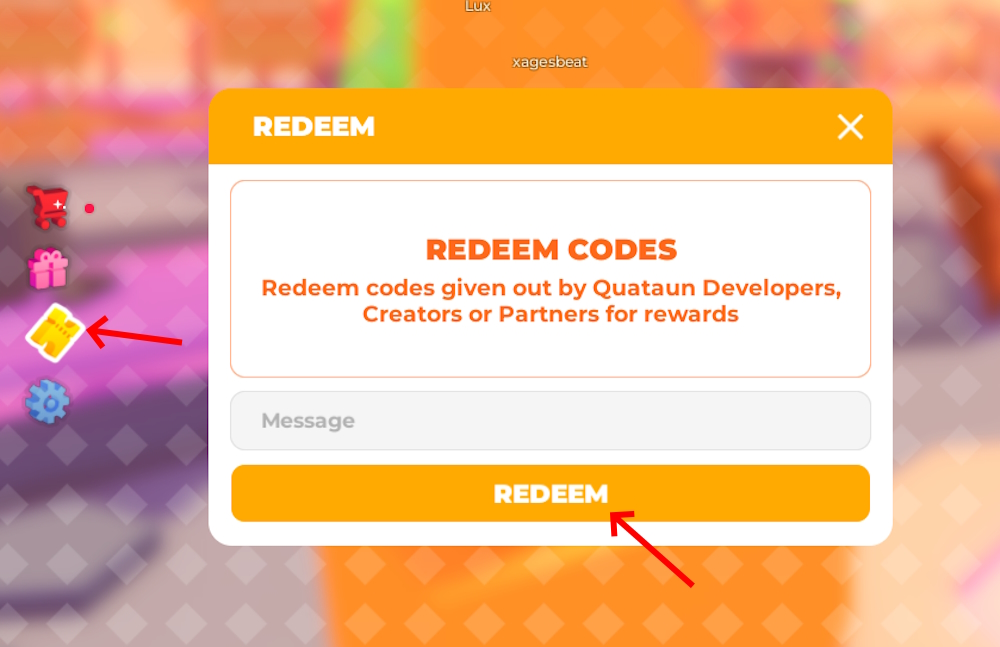
To redeem these codes:
- Launch the specific Roblox experience where the code is valid.
- Look for a "Codes," "Rewards," "Shop," or similar button/icon within the game's interface. This can vary greatly depending on the game.
- Click on the button to open the code redemption window.
- Carefully enter the code into the text box. Remember, these are often case-sensitive.
- Confirm the redemption to receive your in-game reward.
These codes are a fantastic way to enhance your gameplay within a particular title, offering unique customization or advantages. Always check the official social media channels or community pages of your favorite Roblox experiences for the latest valid in-game codes.
Is the Redemption Process Different on Mobile vs. PC?
For the most part, the core redemption process for Roblox codes remains consistent whether you're using a mobile device (smartphone or tablet) or a PC. The key is understanding that official website-based redemptions (for promo codes and gift cards) are performed through your device's web browser, not directly within the Roblox mobile app itself. Mobile dominance in gaming means developers ensure web interfaces are responsive and user-friendly on smaller screens.
Here's the breakdown:
- General Promo Codes (Avatar Items, Robux): On both mobile and PC, you'll open your web browser (e.g., Chrome, Safari, Edge) and navigate to www.roblox.com/redeem. Log in, enter the code, and click redeem. The mobile browser experience is optimized to be just as smooth as on a desktop.
- Robux Gift Cards: Similarly, for gift cards, you'll use your device's web browser to visit www.roblox.com/redeem?card. The process of logging in and entering the PIN is identical across platforms.
- In-Game Codes: These are redeemed directly within the Roblox game/experience, regardless of whether you're playing on the Roblox PC client or the Roblox mobile app. Once inside the specific game, look for the redemption button.
So, while the interface might look slightly different due to screen size, the actual steps and locations for where to redeem codes Roblox are fundamentally the same. The convenience of cross-platform accessibility means you can claim your rewards anytime, anywhere, fitting seamlessly into a busy gamer's schedule.
What are the Steps for Redeeming Codes on My Console (Xbox, PlayStation, etc.)?
Redeeming Roblox codes on consoles like Xbox follows a slightly different path compared to PC or mobile web browsers. Currently, directly redeeming general Roblox promo codes or gift card PINs through the Roblox console app is not supported in the same way. The console versions are primarily for playing games, not for account management or code redemption outside of specific in-game features. This is a common point of confusion for gamers who primarily use their console for Roblox.
To redeem codes if you play predominantly on a console:
- You will need to use a web browser on another device, such as a PC, laptop, or mobile phone/tablet.
- Go to www.roblox.com/redeem for general promo codes or www.roblox.com/redeem?card for gift cards.
- Log into the exact same Roblox account that you use on your console. This step is critical to ensure the rewards are applied to the correct account.
- Enter your code as usual.
- Once redeemed, the items or Robux will be accessible on your Roblox account across all platforms, including your console.
For any in-game codes specific to an experience available on console, you would typically follow the in-game redemption process directly within that experience on your console, just as you would on PC or mobile. Always ensure your Roblox account is linked and active on the device you're using to redeem.
How Can I Find Valid Roblox Codes That Are Currently Active?
Finding legitimate and active Roblox codes requires staying vigilant and knowing where to look. In 2026, the best strategy is to stick to official and trusted sources, especially given the prevalence of online scams. Busy gamers value efficiency, so having a clear roadmap for finding codes saves precious time that could be spent playing. Social gaming trends mean that new codes are often announced through community channels.
Here are the best places to hunt for active Roblox codes:
- Official Roblox Social Media: Follow Roblox on platforms like Twitter (X), Facebook, and YouTube. They frequently announce new promo codes during events, holidays, or special promotions.
- Roblox Blog and Announcements: The official Roblox Blog often features news about new codes, events, and partnerships that may include redeemable items.
- Trusted Roblox Content Creators: Many popular YouTubers and Twitch streamers who focus on Roblox often receive exclusive codes from developers to share with their audience. Subscribe to reliable creators.
- Roblox Game Developers' Social Media: For in-game codes specific to a particular experience, follow the developers of those games on their social media channels or join their Discord servers. This is often where they drop new codes.
- Official Event Pages: Keep an eye on any official Roblox events or collaborations. These often come with unique codes for limited-time items.
A crucial warning: Be extremely wary of websites or apps promising