Gallery




How Do You Make Shirts In Roblox 2026 Shirt Templates To Create And Pants Free Fanny Printable Navigating Design Complexity A 2026 On EASY Maxresdefault Template Infoupdate Org T Shown The Image Unlocking Y What Makes It Trendy 2026 Cool Edit Online 2026 Easily I Clothes 2026 AI Generator Designs No Is Buzz About Eye For 2026 Squid Game Simple 2026 Youtube Download Transparent Red Pattern.




How To Make A Roblox Shirt In Paint Net At Maya Taber Blog Maxresdefault Free AI Generator Create Designs Online No Cartoon Design Template Edit Colorful For Kids Classic Texture Pinterest SCLH Hoodie Clothes On Mobile Devices 63345CDC B656 44b2 85BB 0fdde5889fb5 63345CDC B656 44b2 85BB 0fdde5889fb5 T Shirts And Pants Customizing The With Graphic Software Large 2026 Beginners Guide April 2026 Clothing Preview Sell Your Avatar Robux New HQ720 Own V4 460PX Step Version V4 460PX EASY 2026 Update Youtube 4c823b69bfeb0a3861373c153a3feb86.




Shirt Template Roblox Design 3A638E11A69D3DFE5F1AABE52046BC1C Youtube Maxresdefault How Do I Make Clothes On In 2026 Custom Templates Simple Steps Screen Shot 2022 At PM 2022 To Create Shirts For Free H Ng D N Chi Ti T O AI Generator Designs Online No Pink Edit Find Aesthetic Clothing Gamers Download 2026 Best Ideas 2fb65c07f66239bbf160b9d34be47e73 You 2026 A Full Guide Or Your Own Easily Tutorial.
Key highlights
The story
Hey fellow gamers! Ever found yourself scrolling through Roblox catalogs wishing you could find that perfect shirt or outfit that truly expresses your unique style? Or perhaps you've seen some incredibly cool custom designs and wondered, 'How do they do that?' You're not alone. For many of us who balance gaming with jobs, families, and life's other demands, Roblox isn't just a game; it's a creative playground and a social hub. It’s a place where we unwind, connect with friends, and even build skills. The idea of creating custom in-game items like shirts is incredibly appealing, offering a unique blend of fun, skill-building, and self-expression. But getting started can seem like a puzzle, especially when your gaming time is precious.
The good news is that diving into Roblox shirt creation is more accessible than you might think, and it offers a fantastic way to personalize your experience or even tap into the thriving creator economy. Recent US gaming stats highlight that 87% of gamers regularly engage with games, often dedicating 10+ hours a week. A significant portion of this engagement happens on platforms like Roblox, where user-generated content (UGC) is king. This isn't just about playing; it's about contributing, creating, and connecting. This article is your practical guide to navigating the exciting world of Roblox shirt creation, designed to help you, the busy adult gamer, turn your artistic ideas into reality without unnecessary hassle or hype. We’ll cover everything from the basic tools to smart strategies for making your designs pop, ensuring you can enjoy this creative outlet and maybe even earn some Robux along the way.
What Do I Need to Start Roblox Shirt Creation?
Getting started with Roblox shirt creation is surprisingly straightforward, requiring just a few key components. Firstly, you'll need a Roblox account with a Premium subscription, as this is currently a requirement for uploading and selling custom clothing. Secondly, a reliable image editing software is essential. Programs like Adobe Photoshop, GIMP (a free alternative), Paint.NET, or even online tools like Photopea are excellent choices. These allow you to manipulate the official Roblox shirt and pant templates. Finally, a strong internet connection is needed for uploading your creations to the Roblox platform. Don't worry about needing expensive professional gear; a standard home computer and a good design program are usually all it takes to begin your creative journey.
Where Can I Find the Official Roblox Shirt Template?
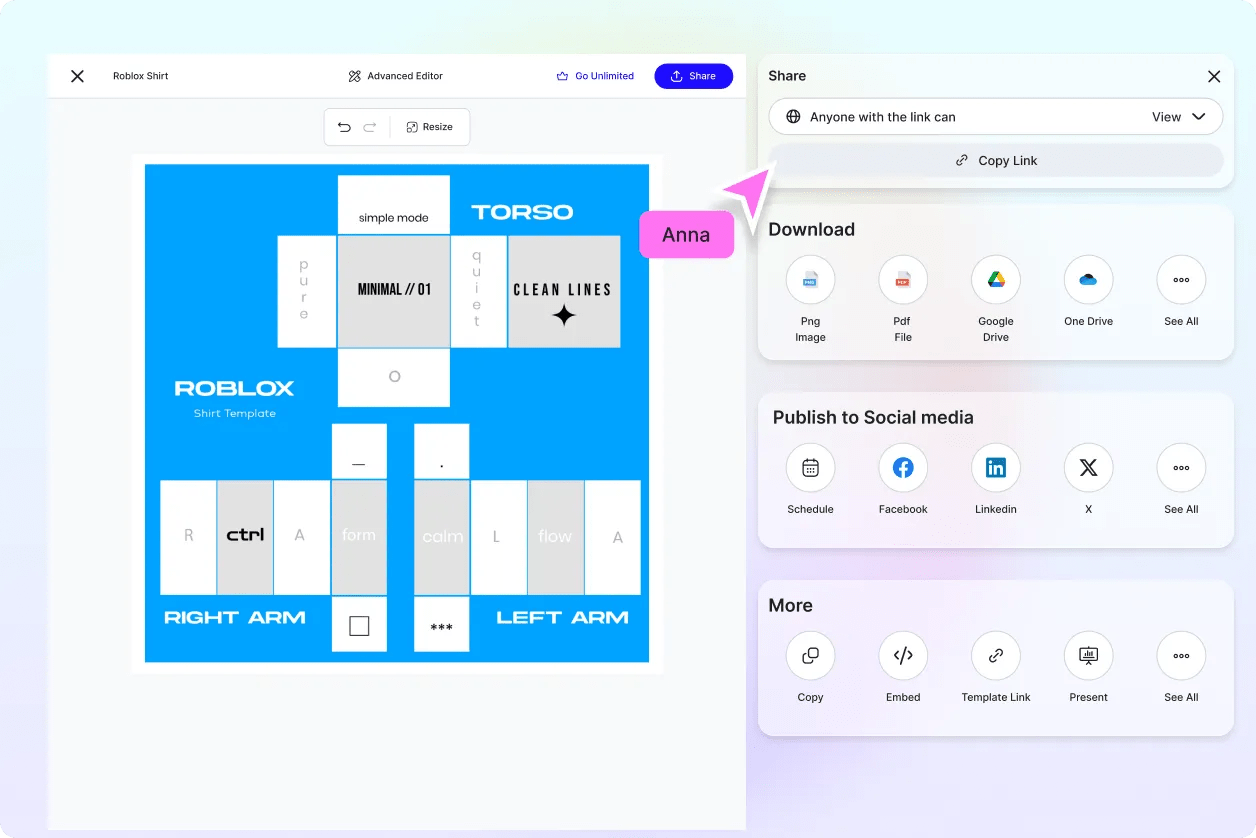
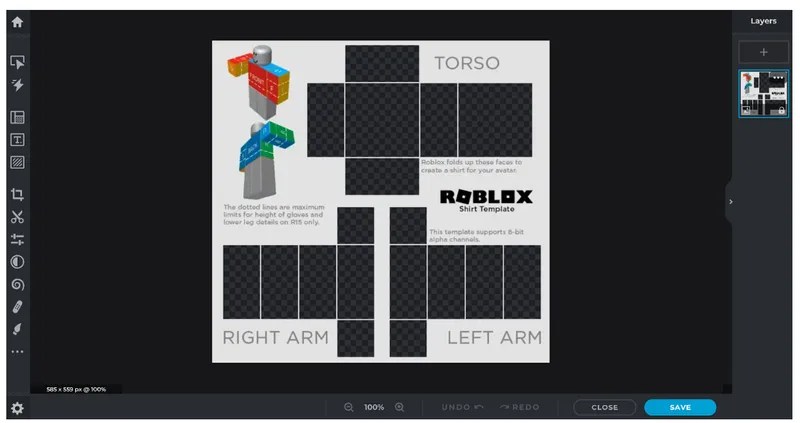
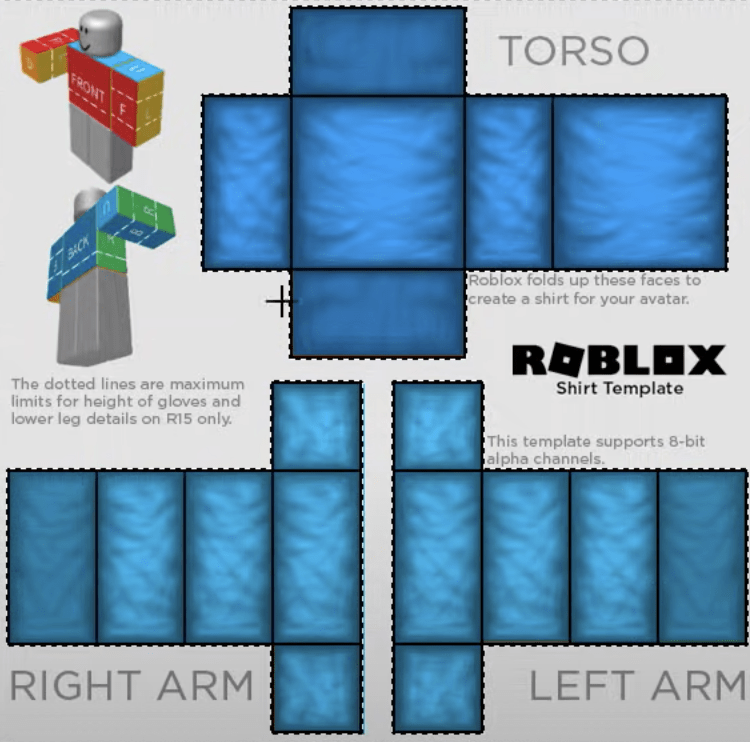
Finding the official template is your first concrete step towards designing. Roblox provides these templates directly on their Developer Hub, which is a treasure trove of resources for creators. You can usually find them by searching 'Roblox shirt template' in your browser or navigating to the Roblox Create page and looking for the clothing creation section. The template is essentially a PNG image with specific dimensions (585x559 pixels) that acts as a blueprint for your shirt design, showing where the front, back, sides, and sleeves will appear on your avatar. Always ensure you're using the most current official template to avoid any upload issues, as Roblox occasionally updates its guidelines.
How Do I Design a Shirt Using the Roblox Template?
Designing your shirt involves working within the template using your chosen image editor. Open the template in your software and begin by adding colors, textures, logos, and intricate patterns to the designated areas. Think of it like painting on a flat canvas that will eventually wrap around a 3D model. The key is to visualize how your flat design will look on an avatar, paying close attention to seams and transitions. Many creators start with a base color, then add layers for details like pockets, buttons, or custom graphics. Experiment with opacity, blending modes, and various brushes to achieve unique effects. Remember, the goal is to create something visually appealing and distinct that aligns with your creative vision.
Is it Free to Upload Custom Shirts on Roblox?
While the act of creating the design file itself is free (especially if you use free software), uploading custom shirts to Roblox does incur a small Robux fee. This fee is subject to change, but it’s typically around 10 Robux per item. This cost covers the moderation process Roblox undertakes to ensure all uploaded content adheres to its community guidelines and terms of service. This fee is a crucial point for adult gamers who value smart spending and performance optimization; it means you want to be confident in your design before uploading to avoid wasted Robux. Consider this a small investment in your creative venture within the platform.
How Do I Upload My Designed Shirt to Roblox?
Once your design is finalized and saved as a PNG file, uploading it is the next step. Navigate to the 'Create' section on the Roblox website, then select 'Shirts' under 'My Creations'. You'll see an option to 'Choose File' where you can select your PNG template. Give your shirt a descriptive name and a brief description. This is your chance to make it attractive to potential buyers. After selecting 'Upload', you'll be prompted to pay the Robux fee. After successful payment, your shirt will go through a moderation queue. This process usually takes a few minutes but can sometimes take longer, ensuring everything meets Roblox's strict safety and content standards before it becomes visible in the catalog.
What Are Some Tips for Making Popular Roblox Shirts?
Making popular Roblox shirts involves a blend of creativity, market awareness, and strategic thinking. Firstly, stay current with trends; what's popular in real-world fashion, or in other games, can often inspire successful Roblox designs. Check out what other top creators are selling this month. Secondly, focus on quality. High-resolution textures, clean lines, and attention to detail make a significant difference. Thirdly, consider niche markets. Instead of just general designs, think about specific genres or aesthetics popular with segments of the Roblox community, like sci-fi, fantasy, or even humorous meme-inspired clothing. Fourthly, promote your work. Share your designs with friends, in Discord servers, or on social media. Building a loyal following is key. Lastly, listen to feedback from players; constructive criticism can help you refine your style and improve future creations.
Can I Really Earn Robux by Creating Roblox Shirts?
Absolutely! The Roblox creator economy is robust, and many players, from casual designers to dedicated entrepreneurs, earn substantial Robux through clothing sales. When you sell a shirt, Roblox takes a percentage (a commission fee), and you receive the rest. The key to earning is to create desirable items that players are willing to purchase. This connects back to making popular and high-quality designs. Consistency in uploading new content and actively engaging with the community to understand demand are also crucial strategies. For many adult gamers, this offers a unique way to monetize a hobby, potentially offsetting in-game purchases or even contributing to real-world savings, all while enjoying a creative outlet.
How to Balance Roblox Shirt Creation with a Busy Schedule?
Balancing creative pursuits like Roblox shirt creation with a demanding job, family life, or other commitments is a common challenge for adult gamers. The trick is efficiency and smart time management. Break down the design process into smaller, manageable chunks. Instead of trying to complete a shirt in one sitting, dedicate 30-60 minutes a few times a week to brainstorming, sketching, or texturing. Utilize weekends for more intensive design sessions if your schedule allows. Pre-plan your designs, perhaps sketching ideas during a lunch break or commute. Remember, this is meant to be a relaxing and fun activity, not another source of stress. Consistency over intensity is often more effective, allowing you to steadily build your catalog without feeling overwhelmed, aligning with the value of staying current without hype and integrating gaming into a balanced life.
What are the Common Mistakes to Avoid in Roblox Shirt Design?
Avoiding common pitfalls can save you time and Robux. A frequent mistake is not using the official template correctly, leading to distorted designs or parts of the shirt appearing in the wrong place. Always double-check your alignment. Another issue is poor resolution; using low-quality images or stretching small graphics can make your shirt look pixelated and unprofessional. Ensure all assets are high-res. Over-complication is also a trap; sometimes, simpler, cleaner designs are more appealing and easier to execute well. Neglecting Roblox's content guidelines is critical; violating these can lead to your shirt being removed and potential account warnings. Always review the terms of service, especially regarding intellectual property and appropriate content. Lastly, don't give up after a few tries; like any skill, design improves with practice and persistence.
Understanding Roblox's Content Guidelines for Clothing
Adhering to Roblox's content guidelines is non-negotiable for creators. These guidelines are in place to ensure a safe, positive, and inclusive environment for all players, especially the significant mobile dominance in gaming where many younger players engage. Key aspects include no inappropriate content (e.g., explicit, violent, discriminatory), no promotion of illegal activities, and strict rules against using copyrighted or trademarked material without permission. This means you can't simply take a logo from a real-world brand and put it on a shirt. Always strive for original designs or use royalty-free assets. Familiarizing yourself with these rules is essential for any creator looking to thrive on the platform and avoid penalties, contributing to a secure and enjoyable social gaming trend.
How to Market and Sell Your Custom Roblox Shirts Effectively?
Effective marketing goes beyond just uploading a design. To truly sell your custom Roblox shirts, consider showcasing them creatively. Take screenshots of your avatar wearing the shirt in popular games or social hubs. Share these images on Roblox-related forums, communities, and social media platforms where you might connect with potential buyers. Discord servers dedicated to Roblox creation or fashion can also be powerful tools for promotion and networking. Engage with your audience; ask for feedback, run polls on new design ideas, and create themed collections. Pricing your items competitively is also crucial. Research similar items in the Roblox catalog to find a sweet spot that reflects your effort and quality while remaining appealing to buyers. Active promotion, community engagement, and smart pricing are key to turning your creations into sales.
What Software and Tools Do Professional Roblox Designers Use?
Professional Roblox clothing designers often leverage a suite of powerful tools to achieve high-quality results. Adobe Photoshop is widely considered the industry standard due to its extensive features for image manipulation, layering, and precise detailing. For vector graphics, Adobe Illustrator or Affinity Designer are popular for creating crisp logos and patterns that scale well. Some designers also use 3D modeling software like Blender to visualize how their textures will look on a Roblox avatar before applying them to the 2D template, which can save time and refine the final look. While these tools offer advanced capabilities, remember that even free alternatives like GIMP or Photopea, combined with a strong understanding of design principles, can produce excellent results. The tool is only as good as the artist using it, emphasizing skill-building over expensive hardware upgrades on a budget.
Creating custom shirts on Roblox offers a rewarding blend of creativity, community engagement, and even entrepreneurial opportunity for gamers of all ages. It’s a fantastic way to express yourself and connect with the vibrant Roblox community. The process is accessible, the tools are readily available, and the potential for unique designs is limitless. Remember, it’s about having fun, learning new skills, and making your mark on the platform. So, grab your template, fire up your design software, and let your imagination run wild! What's your biggest gaming challenge or creative project you're tackling in Roblox? Comment below!
FAQ Section
Q: Do I need Roblox Premium to create and sell shirts?
A: Yes, a Roblox Premium subscription is required to upload and sell custom shirts and pants on the platform. This subscription provides benefits to creators, including access to monetization features.
Q: Can I use images from the internet for my Roblox shirt designs?
A: You should only use images that you have created yourself or those that are explicitly licensed for commercial use and modification. Using copyrighted images without permission can lead to your design being removed and potential account penalties.
Q: How long does it take for a shirt to be approved after uploading?
A: Moderation times can vary, but typically a shirt is reviewed and approved within a few minutes to a few hours. In some cases, it might take longer if the content requires additional review by Roblox staff.
Q: What is the ideal size for shirt images on the Roblox template?
A: The official Roblox shirt template is 585x559 pixels. When designing, ensure your assets maintain good resolution within these dimensions to avoid pixelation once uploaded and applied to the avatar.
Q: Is there a way to test my shirt design before uploading?
A: You can use free 3D modeling software like Blender to import a Roblox avatar model and apply your 2D texture, giving you a preview of how the shirt will look in 3D before you commit to the Robux upload fee.
Q: Can I update a shirt design after I've uploaded it?
A: Once a shirt is uploaded and approved, you cannot directly edit the existing image. You would need to upload a new version of the shirt, which would incur another upload fee and create a separate item in your catalog.