Gallery


What Is Roblox Documentation Creator Hub Studio Complete Beginner S Guide 2026 Obby Hero How To Create A Game Step By 2026 Programming Everything You Need Know Screen Shot 2024 At AM 2024 Animate In 2026 Youtube Maxresdefault Team 2026 Build Tutorial 2026 2026 Yenilenen Aray Zle Geli Tiriciler Neden Endi Eli 2026 Download Do Passo Para Instalar Play Sounds 2026 Easy For Windows The Absolute Basics Of Beginners Publish 2026.


Summer 2026 Producer Innovation Studio Intern At Roblox Image Make Your Own Game A Beginners Guide How To Create Games Logo View Version History In 2026 Update Youtube Maxresdefault New Start Page Announcements Developer Forum 25e5b529e5e85104ccd2ac559c847fa842aad272 Publish On 2026 Robloxstudio Watch S Second Creator Showdown Tournament Live Later Today DYVQVZUZRT2A88CZT5CI Build Hub Redrobinsolar Screen Shot 2022 PM 2022 April 2026 Monthly Webinar Community Events A26D71918A0B5D49F673355034863F7BBC7D0662 Sit Like Pro 2026 TM 07169 Definitive 2026 07169 2026 2026 Settings 2026 Want Place Easily D13EEBF652D7CB3E8A97C7931D7E603A2E917473.


How To Make A Roblox Game With AI Complete 2026 Guide Image 1772441574773 86B5BC7FCE7D 1772441574773 86B5BC7FCE7D Create Your Own Experience In Studio 2026 Youtube Hqdefault Developer Challenge 2026 Page Community Events ED06BCCA2F8ED8BFD273F9AF628E25E458ED2A98 New Webinar Series Creator Monthly 8c13a66790fa2ce962be919eb04744929b001a58 2026 Chat Replica Open Source Creations Feedback Forum 5a22c2442f838b0f2832918e07965074eed0d947 Play Sounds 2026 Easy Walkthrough For Windows 2026 Our Predictions Last Level Studios Blog CMKTUM666E1Z107MCFQ8LVWIP Best Enterprise Development Software 2026 Web App Library Categories Providers Screenshots 001 687 077 Pub Screenshot 1710431849 001 687 077 1710431849 Functions And Beginners 2026 UI Part Maxresdefault FIRST 2026 REGISTER NOW Creative Brain Lab Ages Week 2026 Spring Camp 2026.
Key highlights
Frequently asked questions
How do I download and install Roblox Studio create in 2026?
You can download Roblox Studio create directly from the official Roblox website. Simply navigate to the 'Create' section, click 'Start Creating,' and follow the on-screen prompts to download the installer. Once downloaded, run the executable file and follow the installation wizard to set up the software on your PC.
What is Lua scripting and why is it important for Roblox Studio?
Lua scripting is the programming language used within Roblox Studio to bring games to life. It's crucial because it allows you to add interactivity, define game mechanics, create custom tools, and manage player experiences, extending beyond what visual tools alone can achieve. It's essential for dynamic and engaging games.
Can I really make money by creating games on Roblox Studio in 2026?
Yes, absolutely! Many creators earn significant income through Roblox Studio. Monetization primarily occurs via Game Passes and Developer Products (for in-game purchases). Premium Payouts also reward engagement from Roblox Premium subscribers. Success hinges on creating an engaging, high-quality game that players enjoy and spend time in.
What are the best practices for optimizing game performance in Roblox Studio create?
To optimize game performance, focus on minimizing part count, especially unanchored parts. Use efficient lighting, avoid excessive unions, and write streamlined Lua scripts. Regularly test your game on various devices and utilize Roblox Studio's built-in performance tools like the MicroProfiler to identify and address bottlenecks.
How do I share or publish my game created with Roblox Studio create?
Once your game is ready, navigate to the 'File' menu in Roblox Studio and select 'Publish to Roblox.' You'll be prompted to create a new game or update an existing one. After publishing, you can configure game settings, set privacy, and enable monetization options through the Creator Dashboard on the Roblox website.
What are some essential tools within Roblox Studio for new creators?
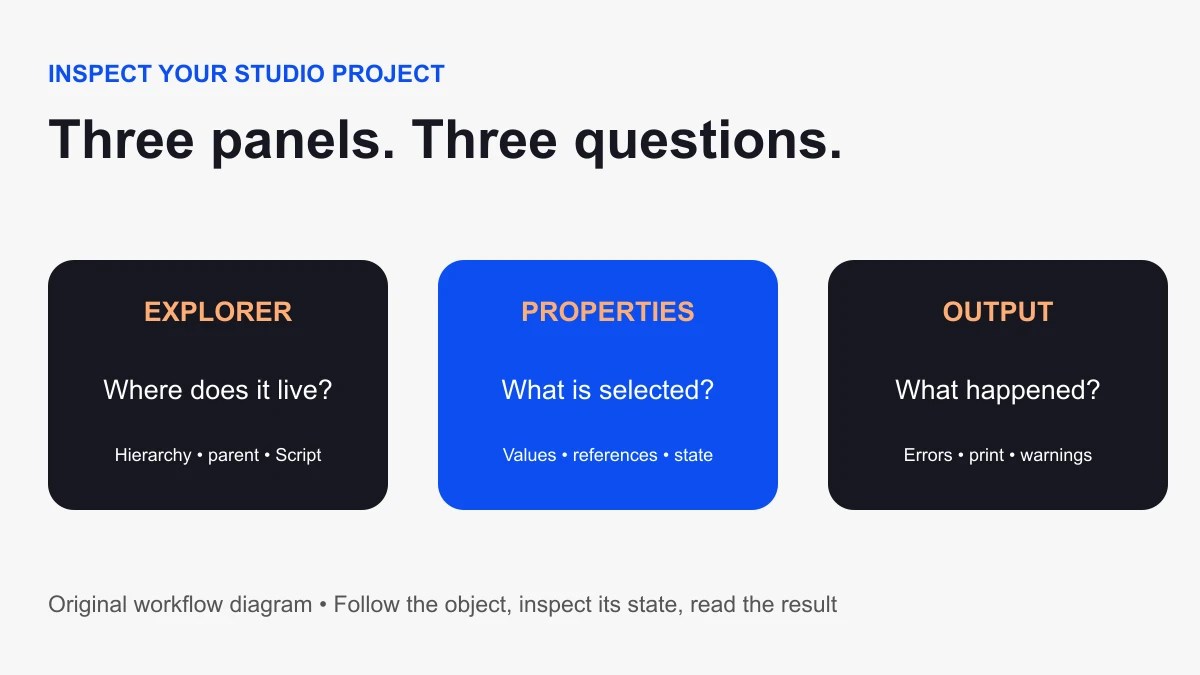
Key tools for new creators include the 'Toolbox' (for free assets), 'Explorer' (to manage game hierarchy), 'Properties' (to modify object attributes), and the 'Part' tool (to create basic shapes). The 'Output' window is also vital for debugging scripts and identifying errors, guiding your development process.
What kind of games can I create using Roblox Studio in 2026?
The possibilities are vast! You can create almost any genre: obby (obstacle courses), role-playing games (RPGs), simulations, fighting games, social hubs, horror experiences, and more. Roblox Studio's flexibility, combined with your imagination and Lua scripting, allows for highly diverse and complex game development.
The story
Welcome, fellow PC gamers and aspiring creators! In 2026, the gaming landscape continues to evolve at breakneck speed, with platforms like Roblox empowering millions to not just play, but also to build the next generation of digital worlds. If you've been eyeing the massive potential of user-generated content and wondered 'how do I get started with Roblox Studio create?', you've come to the right place. This isn't just a guide; it's your expert friend giving you the no-BS lowdown on transforming your wildest game ideas into reality. We're talking about mastering Roblox Studio create to build performant, engaging, and potentially profitable experiences without wasting your precious time or cash. Ready to dive deep into the world of Roblox game development?
We know you're looking for quick wins and smart decisions. From optimizing your game for the latest hardware to understanding the crucial tricks that keep players hooked, this article answers the burning questions Gen-Z and young adult gamers aged 20-45 are asking. Let's make sure your creations not only run flawlessly on a high-end gaming PC but also captivate your audience from day one.
What Exactly Is Roblox Studio Create and Why Should I Use It?
Roblox Studio create is the integrated development environment (IDE) provided by Roblox that allows anyone to design, build, and publish games and experiences directly onto the Roblox platform. It's essentially your digital workshop. Why use it? Because it offers unparalleled accessibility and a massive potential audience. You don't need years of coding experience or expensive software; Roblox Studio provides intuitive tools, a robust Lua scripting engine, and a vast library of free assets to kickstart your creative journey. In 2026, with Roblox's continued growth, it remains one of the most accessible yet powerful platforms for aspiring game developers to reach millions of players globally.
How Do I Get Started with Roblox Studio Create as a Beginner in 2026?
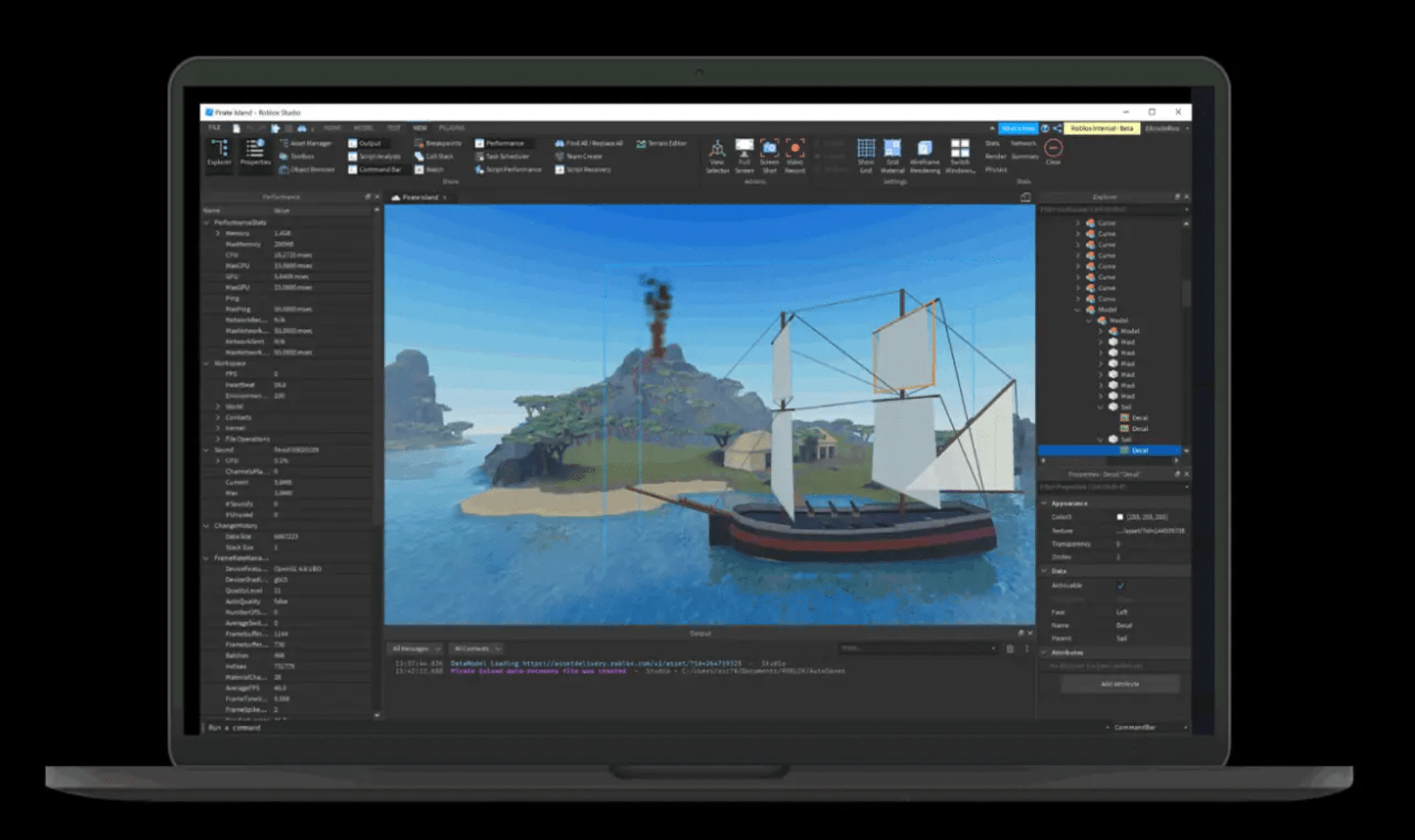
Getting started with Roblox Studio create is straightforward. First, download and install Roblox Studio from the official Roblox website. Once installed, launch it and sign in with your Roblox account. You'll be greeted with a dashboard offering various templates – start with a 'Baseplate' or a 'Classic Baseplate' to get familiar with the interface. Explore the 'Toolbox' for pre-made assets, use the 'Part' tool to create basic shapes, and experiment with the 'Explorer' and 'Properties' windows to understand your game's hierarchy and object attributes. The official Roblox Creator Hub has up-to-date 2026 tutorials that are invaluable for new developers.
What Are Essential Lua Scripting Tricks for Roblox Studio Create?
Mastering Lua scripting is key to bringing your Roblox games to life. Essential tricks include understanding event-driven programming, using 'local' variables effectively to prevent global namespace pollution, and leveraging 'WaitForChild' to ensure assets are loaded before interacting with them. Learning about basic control structures (if/else, for loops), functions, and tables is foundational. For optimization, avoid repetitive API calls and instead cache references. In 2026, modern Lua best practices emphasize modular scripting with 'ModuleScripts' for cleaner, more maintainable code, which is crucial for complex projects.
Who Can Successfully Create Games Using Roblox Studio, Regardless of Experience?
Anyone with an idea and a willingness to learn can successfully create games using Roblox Studio. While a background in programming or game design can certainly help, it's not a prerequisite. Roblox Studio's visual tools allow for significant creation without writing a single line of code, perfect for absolute beginners. For those who want more control, the platform's Lua scripting is relatively easy to pick up, making it approachable for hobbyists and even young learners. The vast community and extensive official documentation mean there’s always support available, proving that successful creation is truly open to all.
Why Is Performance Optimization Crucial for Roblox Games in 2026?
Performance optimization in Roblox games is more critical than ever in 2026 because players expect seamless experiences across a wide range of devices, from high-end PCs to mobile phones. Poor performance leads to lag, crashes, and ultimately, players leaving your game. Optimized games ensure a smooth framerate, faster loading times, and a more enjoyable experience, which directly impacts player retention and discoverability. With complex games becoming standard, efficient asset management, intelligent use of unions, and streamlined scripting are not just good practices—they're necessities for success.
How Can I Monetize My Creations on Roblox Studio in 2026?
Monetizing your creations on Roblox Studio in 2026 involves several strategies. The primary method is through 'Game Passes,' which grant players special abilities or items, and 'Developer Products' for one-time consumable purchases (like in-game currency or power-ups). 'Premium Payouts' reward creators based on the engagement of Roblox Premium subscribers in their games. You can also sell virtual items through the 'Avatar Shop' if you create custom clothing or accessories. Understanding player spending habits and offering compelling value through your in-game purchases is key to effective monetization.
What Are the Latest Features and Updates in Roblox Studio Create for 2026?
Roblox Studio create in 2026 boasts several significant advancements aimed at empowering creators. We've seen enhanced physically based rendering (PBR) workflows for more realistic textures and lighting, alongside improved animation tools that streamline character rigging and movement. The introduction of more sophisticated AI-powered content generation assistants helps with basic asset creation and code snippets. Additionally, collaborative development features have become more robust, allowing teams to work on projects simultaneously with better version control. These updates focus on improving both visual fidelity and development efficiency for creators.
Are There Any Common Mistakes to Avoid When Using Roblox Studio Create?
Yes, several common mistakes can hinder your progress when using Roblox Studio create. Beginners often neglect performance optimization, leading to laggy games due to too many unanchored parts, excessive lights, or inefficient scripts. Another common error is failing to test your game thoroughly on different devices, which can result in a broken experience for mobile users. Not leveraging the vast community for feedback, ignoring official documentation, and jumping into overly ambitious projects without mastering the basics are also frequent pitfalls. Start small, iterate often, and prioritize a smooth player experience.
What Hardware Recommendations Are Best for Roblox Studio Development in 2026?
For a smooth Roblox Studio development experience in 2026, especially for complex projects, a decent PC setup is crucial. While Roblox Studio itself isn't incredibly demanding for basic tasks, a powerful CPU (like an Intel i7 or AMD Ryzen 7 from the last couple of generations) will significantly speed up script compilation and heavy scene rendering. An NVIDIA GeForce RTX 30-series or AMD Radeon RX 6000-series GPU (or newer) provides excellent viewport performance and handles complex lighting. Aim for at least 16GB of RAM (32GB is ideal for multitasking) and an NVMe SSD for fast load times. A high-resolution monitor also helps with screen real estate for all those Studio windows.
How Do I Troubleshoot Common Issues in Roblox Studio Create?
Troubleshooting common issues in Roblox Studio create often starts with checking the 'Output' window for error messages – these are your best clues. Syntax errors in Lua scripts are frequent; ensure correct capitalization, punctuation, and variable names. If your game is lagging, use the 'MicroProfiler' or 'Developer Console' (F9 in-game) to identify performance bottlenecks, such as high script activity or excessive part counts. For rendering issues, check your lighting settings and material properties. The Roblox Developer Forum is an excellent resource for finding solutions to specific bugs and getting community support.
What Does the Future Hold for Roblox Studio Create and Game Development?
The future of Roblox Studio create is geared towards even greater creator empowerment and technological sophistication. We can expect more advanced AI integration, making game design more intuitive and efficient, potentially generating complex assets or even full game mechanics from text prompts. Real-time ray tracing and more realistic physics simulations are on the horizon, pushing the visual fidelity of user-created experiences. Furthermore, cross-platform interoperability and seamless integration with emerging metaverse technologies will likely expand, positioning Roblox Studio at the forefront of immersive digital content creation. The emphasis will remain on making powerful tools accessible to everyone.
As an avid PC gamer who’s tinkered with countless engines and platforms, I can confidently say that Roblox Studio create stands out for its accessibility and immense potential. It’s a fantastic entry point into game development that rewards dedication with a vast, engaged audience. Happy creating, and may your games dominate the Roblox charts!