Gallery
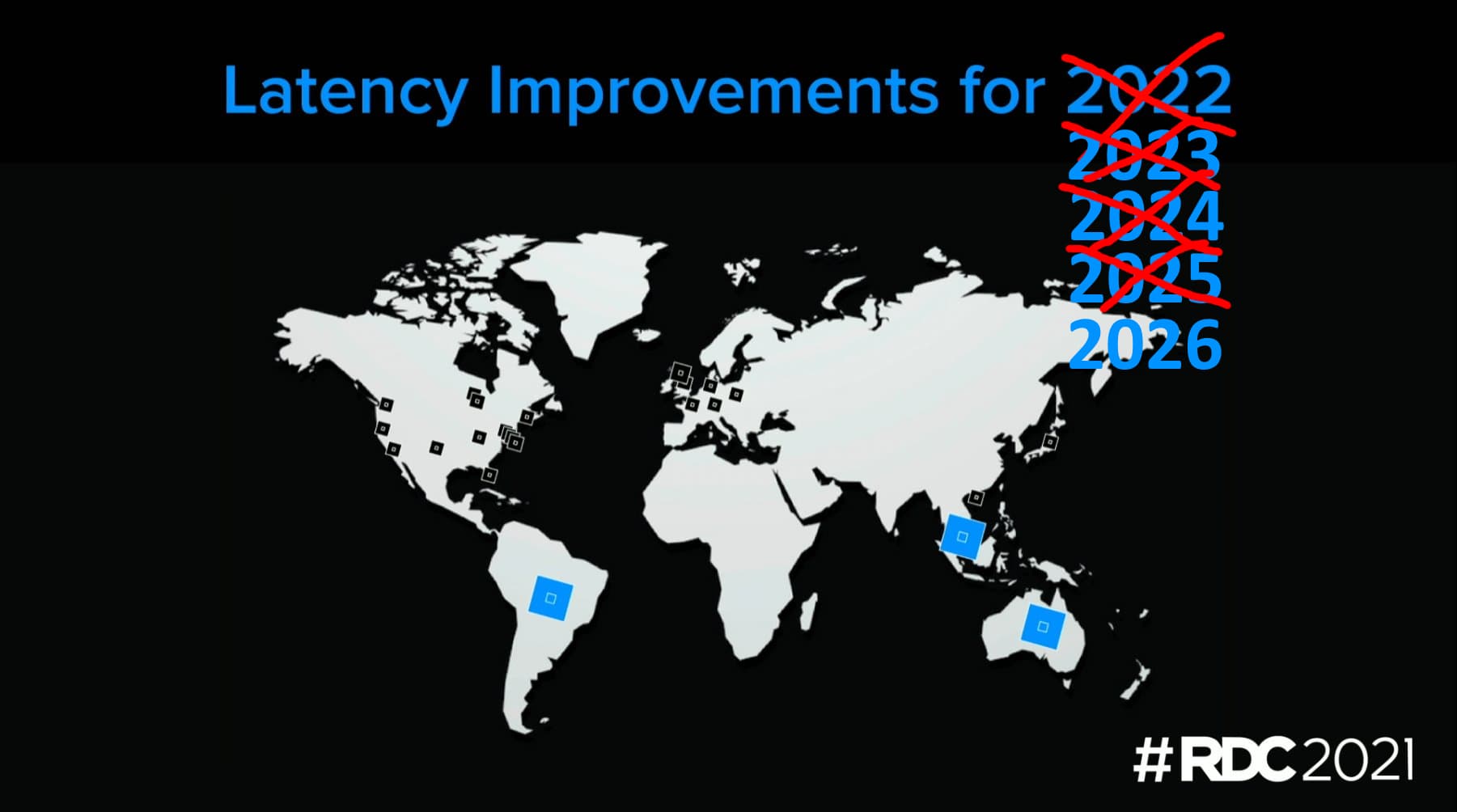


Brazil Servers Coming Early 2026 Page Announcements Developer 1e7f134a246c8f3ae73d63864e242ea7d27b4388 Roblox Server Locations Rhgx Map FPELI D584E4AAE35C70AFCD1AE8FA2955822B3A8104C8 Location EVXAGG 314948d62647d9afeea78f9ef95ee20177fe30c0 List Extension Level Up Your Game D93A8CD90BFB1A2904B77CB4DA90E06867B4E16D How To FIND REGION WORKING 2026 Youtube Maxresdefault In Windows PC Full Tutorial Check 2026 Change Fix High S O Paulo Vai Receber Primeiro Data Center Da Na Am Rica Do Step By All Community Resources Forum AFEE053461E543638B8EE7D7883F3031D3948FC8 2026 GUIDE Empty Public 2026.


How To See Server Region In Roblox Full Guide Youtube Maxresdefault Ter Data Center No Brasil Em 2026 Para Melhorar Experi Ncia Tera Find 2025 Updated Way ID Use Yours Easily 1AB88E47DF6E3D5F6A1B4E984DB338161D84C6AD Where Are S South America Servers A LOCATION On Long Does Private Last The Tube Improve Ping All Locations Page Community Resources Developer 692bc947a6b42a9f1553b0a39fa32463911c7755 Change Country 2025 What Is RDC Conference 2026 Release Date At GDC.





Roblox Server ID Guide How To Find Use Yours Easily SFFIUQ7ULY8VD17TPT350Z1EA NEKOZ1U DJT7FE9Y9EV9XBXBXLKDH XJ8XQZH OHYJLEVBQIDZN73TAGGG0COQGWTSOJAD3WHTR3R8 P2QEL09WXP3U8GREJ51TYJCIRA5GZCYOE8MRVNNXTYE5J LMZX5MB7BAXC 4BOCEKF8X8W7AYJEF9YHAW SFFIUQ7ULY8VD17TPT350Z1EA NEKOZ1U DJT7FE9Y9EV9XBXBXLKDH XJ8XQZH OHYJLEVBQIDZN73TAGGG0COQGWTSOJAD3WHTR3R8 P2QEL09WXP3U8GREJ51TYJCIRA5GZCYOE8MRVNNXTYE5J LMZX5MB7BAXC 4BOCEKF8X8W7AYJEF9YHAW Is Down Now Are Servers Experiencing Issues Status 9781917522151 Locations Scripting Support Developer Forum AB8F801F65DE8960E06A27B3ACBB7522650FDFDF 830a47dfcc8eff6f01bb5461058b49272a86c257 Get A Location Region On Page Community 0954a3243d4389e32bd4f8ca9fcee3a99f31c913 Can T Connect Dibujos Cute Para Imprimir Maxresdefault Filter Do I Change Regions In Choose And Boost With Lagofast 17185929985740914 Brazil Coming Early 2026 Announcements 6462fe7da4ed97a15ac8dbdb10c78766db3ec152 Your 2025 Updated Method Youtube.
Key highlights
Frequently asked questions
How do Roblox server locations affect gameplay performance
Roblox server locations directly affect gameplay performance by influencing ping. When you connect to a server physically closer to you, data travels shorter distances, resulting in lower ping and a more responsive game. This means your actions register faster, reducing lag and providing a smoother experience in Roblox experiences.
Can using a VPN change my Roblox server location
Using a VPN can technically route your connection through a different geographical location, but it rarely improves Roblox server performance. In most cases, a VPN will increase your ping because your data has an extra stop to make. Roblox's matchmaking prioritizes low latency, so a VPN typically makes your connection worse for gameplay.
Why do I sometimes connect to different Roblox servers
Roblox's dynamic matchmaking system aims to connect you to the optimal server at any given time. This means the server you join can vary based on factors like your current location, network conditions, and the load on available servers. The system continuously evaluates these to provide the best possible connection quality for each session.
What are Roblox's main server regions for US players
While specific data center locations are proprietary, Roblox primarily serves its US player base from multiple server clusters within central and western United States regions. This broad distribution helps to minimize latency differences for players across the continental US, ensuring balanced access and connection quality regardless of their specific state.
Does Roblox use dedicated servers for specific games
Roblox provides the underlying server infrastructure, and game developers deploy their experiences onto these servers. So, while you're connecting to a Roblox server, that server is running a specific game developed by a creator. This effectively functions as a dedicated server for that particular game instance you are playing, enabling massive scale.
How can I check my ping to Roblox servers
Roblox does not have an internal ping display for individual server connections. However, you can use third party network monitoring tools or your operating system's command prompt (ping roblox.com) to get a general idea of your network latency to Roblox's broader infrastructure. This won't show specific game server ping but provides a helpful baseline.
Are Roblox servers secure from cyber threats
Roblox employs robust security measures to protect its server infrastructure and player data. This includes encryption, firewalls, intrusion detection systems, and regular security audits. While no system is completely immune, Roblox is continuously working to maintain a secure environment against various cyber threats and ensure player safety on the platform.
The story
Understanding Roblox Server Locations for US Gamers
Many US gamers playing Roblox often ask where the game's servers are actually located. This question isn't just about curiosity; it's a practical concern that directly impacts your gameplay experience, especially when dealing with lag or connection issues. Knowing the general areas of Roblox's server infrastructure helps players understand why their ping might fluctuate and how network quality affects everything from building elaborate worlds to engaging in fast paced mini games. Ultimately, a better understanding of server distribution can empower you to troubleshoot common in game problems more effectively.
Roblox operates a sprawling network of servers and data centers designed to handle millions of active players concurrently. These facilities are strategically placed around the globe, with a significant presence in key regions to minimize latency for large user bases. For players in the United States, Roblox has multiple data centers and server clusters, ensuring that connection requests can be routed to a nearby hub rather than having to travel across continents. This distributed approach is essential for maintaining a responsive and enjoyable platform, no matter where a player logs in from within the country.
The goal behind this extensive server setup is simple: provide a seamless and low latency gaming environment for everyone. When you connect to Roblox, the system tries to match you to the server that offers the best connection, typically the one geographically closest to you. However, other factors like internet service provider routing and network congestion can influence which server you ultimately join. Recognizing the existence of these regional server hubs is the first step toward understanding your personal Roblox connection quality and identifying potential bottlenecks that might be affecting your game performance today.
How Roblox's Server Infrastructure Works
Roblox doesn't use a single, monolithic server system; instead, it relies on a sophisticated, distributed network. This setup includes numerous data centers, each hosting many individual game servers. When a player launches a Roblox experience, their client communicates with Roblox's matchmaking services, which then direct them to an available server. This server selection process aims to prioritize factors such as geographical proximity and current server load to ensure a stable connection for the player.
The specific location of these data centers remains proprietary information, but general regions are known. For instance, a substantial part of Roblox's infrastructure serving North America is concentrated in central and western US locations. This positioning allows for relatively equal access for players across the continental United States, helping to balance ping times and reduce latency differences between East and West Coasters. This strategic placement ensures that a player in California isn't trying to connect to a server in New York when there's a closer option available, minimizing data travel time.
Furthermore, Roblox employs content delivery networks CDNs to efficiently distribute static assets like game textures and models. CDNs have edge servers located even closer to end users than the main game servers. This means that while your gameplay actions are processed by a core game server, many visual elements and static files load from a local CDN point, speeding up overall loading times and reducing strain on the main game servers. This multi layered approach is crucial for supporting the massive scale and diverse content of the Roblox platform. Why does my Roblox game take so long to load sometimes
Benefits of Regional Server Placement for US Gamers
Regional server placement brings significant advantages for US gamers, primarily in the form of reduced latency, often referred to as ping. When your game client communicates with a server physically closer to you, the data has less distance to travel, resulting in quicker response times. This means your actions in game register faster, leading to a much smoother and more enjoyable experience, especially in competitive games or those requiring precise timing. High ping can cause noticeable delays, making simple tasks like jumping or interacting with objects feel sluggish and unresponsive.
Beyond just lower ping, localized servers contribute to a more stable connection. Data packets are less likely to encounter congestion or routing issues when traveling shorter distances. This reduces the chances of packet loss, which can manifest as sudden freezes, disconnections, or glitchy character movements. A stable connection ensures that the game world remains consistent and predictable, allowing players to fully immerse themselves without constant technical interruptions. This reliability is a cornerstone of a quality online gaming platform.
Moreover, having multiple server clusters across the US helps distribute the load more effectively. If one server region experiences unusually high traffic or a technical problem, players can be rerouted to another nearby healthy server without severe disruption. This redundancy improves the overall uptime and resilience of the Roblox platform. For the average gamer, this means less downtime and a more consistent ability to access their favorite experiences, regardless of localized network events. Can Roblox servers go down unexpectedly
Tips for Optimizing Your Roblox Connection
Even with strategically located servers, your personal connection setup plays a huge part in your Roblox experience. To optimize your connection, start by using a wired Ethernet connection instead of Wi-Fi whenever possible. Wired connections offer superior stability and speed, reducing latency and packet loss that Wi-Fi can introduce. This simple change often provides the most noticeable improvement for gamers seeking a more reliable ping.
Next, ensure your home network isn't overloaded. If multiple devices are streaming video, downloading large files, or running other bandwidth intensive applications while you play Roblox, your available bandwidth for gaming will suffer. Try to minimize background network activity during your gaming sessions, especially if you have a slower internet plan. Rebooting your router and modem regularly can also clear up minor network glitches and refresh your connection, sometimes improving performance instantly.
Finally, consider your Internet Service Provider ISP and your router's quality. An older router might struggle to handle modern network demands, even with a fast internet plan. Upgrading to a newer router or discussing your internet speed with your ISP might be necessary if you consistently experience high ping despite implementing other optimizations. Checking for driver updates for your network adapter can also sometimes resolve subtle performance issues. Does my internet speed affect Roblox server connection
Common Mistakes Regarding Roblox Server Locations
One common mistake players make is assuming that a server's location is the sole determinant of their ping. While proximity is crucial, it's not the only factor. Your internet service provider's routing, network congestion, and even the quality of your home network equipment significantly influence your connection. A player might be physically close to a Roblox data center but still experience high ping due to poor routing by their ISP or an outdated router. It's a complex interplay of many network elements, not just raw distance.
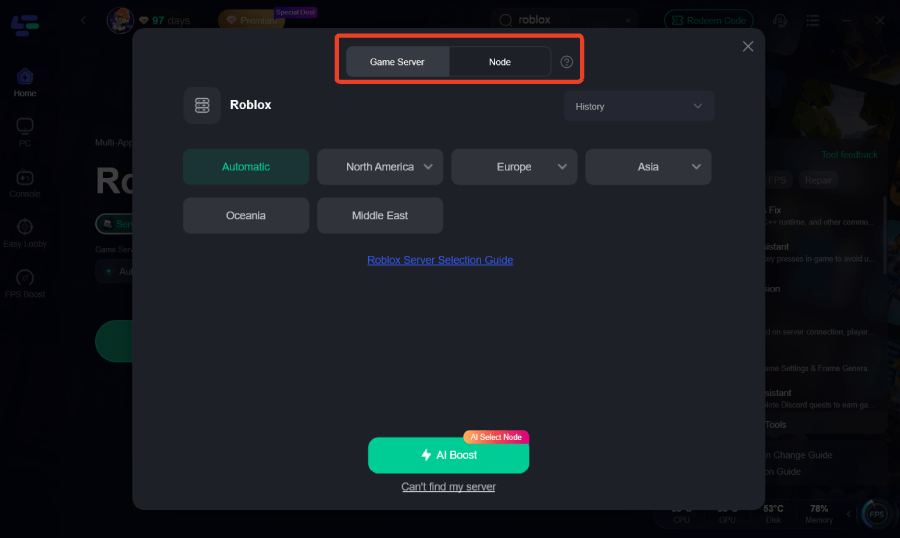
Another frequent misconception is believing you can manually choose your Roblox server region. Unlike some other online games, Roblox's matchmaking system automatically assigns you to a server based on its internal algorithms, primarily focusing on latency and server load. There isn't an in game option to pick a specific server location like "US East" or "US West." Attempting to force a connection to a distant server through VPNs might seem like a solution, but it usually increases latency due to the additional hop through the VPN server, worsening rather than improving your experience.
Lastly, many players overlook the importance of their local network environment. Blaming Roblox servers for lag without first checking their own setup is a common error. Before reporting server issues, always troubleshoot your connection: test your internet speed, restart your router, try a wired connection, and close bandwidth intensive applications. Often, the problem lies closer to home rather than with Roblox's robust global server infrastructure. How can I tell if Roblox servers are down globally
Frequently Searched Questions About Roblox Servers
Many players are curious about the technical side of Roblox's operations. A common query is whether Roblox has dedicated servers for specific games. While Roblox itself provides the server infrastructure, individual game developers deploy their experiences onto these servers. So, while you're connecting to a Roblox server, that server is running a specific game developed by a creator, effectively making it a dedicated server for that particular experience during your session. This model allows for vast scalability and variety within the platform.
Another question that comes up often is how Roblox ensures fair play across different server locations. The platform uses various anti cheat measures and server side logic to mitigate the impact of latency differences. While perfect synchronization across players with vastly different pings is challenging, Roblox's system attempts to keep the game state as consistent as possible for all participants. This often involves client side prediction and server side validation to smooth out gameplay.
Players also ask if using a VPN can improve their Roblox connection. Generally, for most US players, a VPN will actually increase ping because your data has to travel an extra step through the VPN server before reaching Roblox. While VPNs offer privacy and can bypass geo restrictions, they are rarely beneficial for optimizing gaming performance. Only in very specific cases, like an ISP having extremely poor routing to Roblox, might a VPN offer a marginal improvement by forcing a better route, but this is an exception rather than the rule. What is the average ping for Roblox players in the US